
 Türkçe
  English
  Deutsch
  Español
  Italiano
  Kiswahili
 Question Notebook: never lose a question you couldn’t solve
A digital error log that fits in your pocket. Photograph tricky questions from any book, add your notes and come back until you have mastered them.
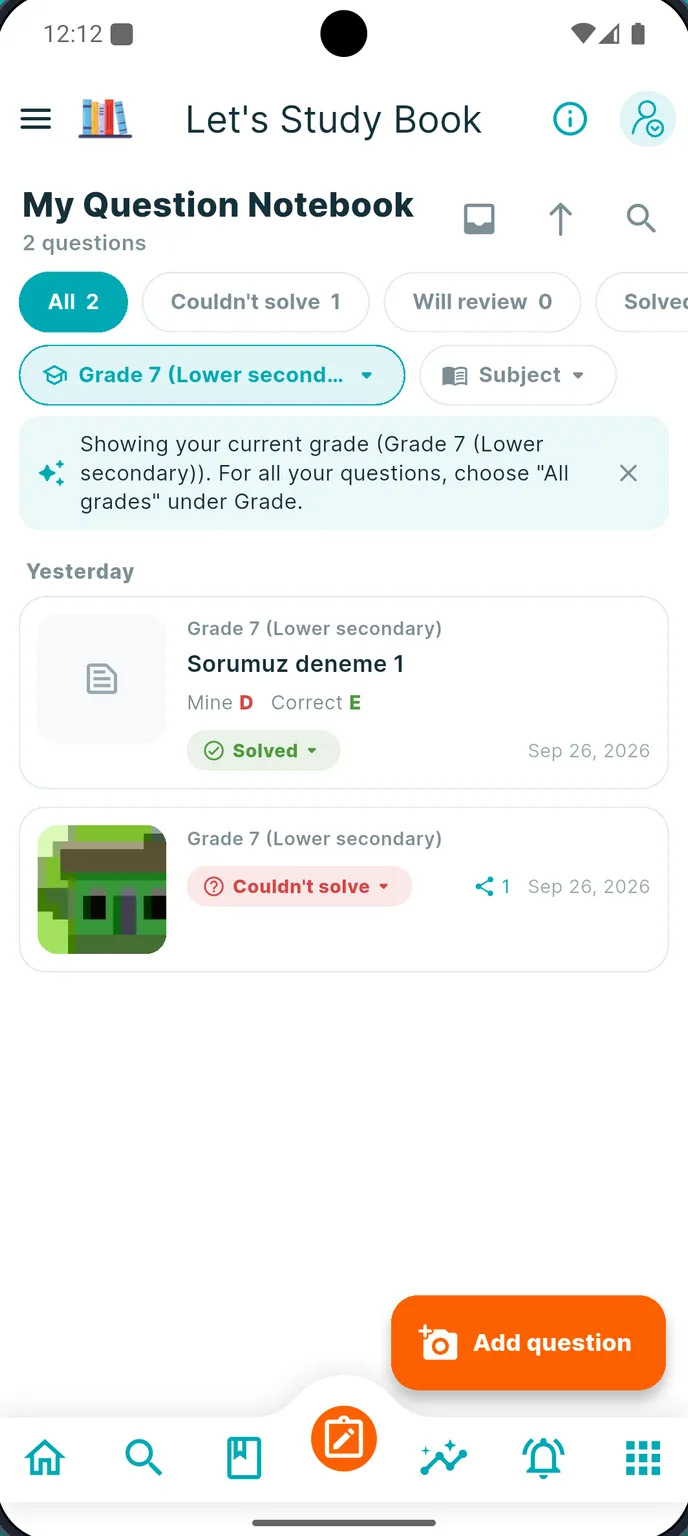
Why keep a question notebook?
1 Mistakes are the most valuable thing you study. A question you got wrong shows exactly which idea is missing.
2 Reviewing your own mistakes before an exam is far more efficient than re-reading the whole book.
3 A paper notebook gets lost, gets messy and cannot be filtered. A digital one is always with you.
How it works
- 1
Snap it
Photograph the question from your book, a test paper or a worksheet.
- 2
Crop it
Keep only the question. The photo is resized so it uploads quickly.
- 3
Describe it
Add the options, your answer, the correct answer and a short note on what tripped you up.
- 4
File it
Subject, grade and source are filled in so you can filter later.
- 5
Review it
Mark it “Couldn’t solve”, “Will review” or “Solved” and come back before the exam.
More than a photo album
Barcode scan
Scan the barcode of another book to tag where a question comes from.
Ask for help
Send a notebook question to a friend or teacher and discuss it.
Private by default
Your notebook photos are stored privately and are only shown to you and the people you share them with.
Your book is waiting. Start today.
Free to download. Works on Android phones and tablets.